Working with modules 2516-A to D
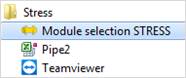
The basic features and the graphical interface are identical in all strength calculation modules. Start the strength calculation program
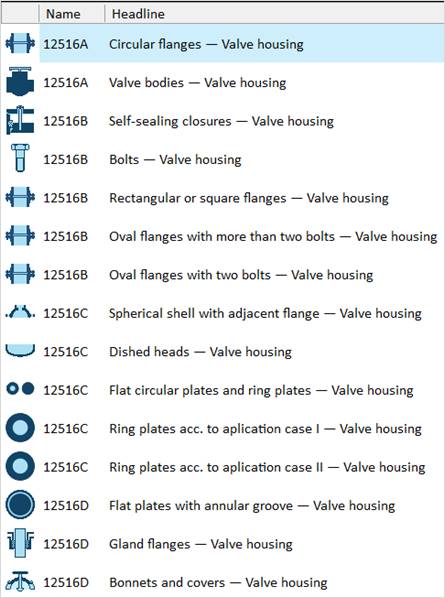
In the Quickstart menu select Codes – Euronorm – EN 12516-2 and then “12516A- Valve bodies – valve housings
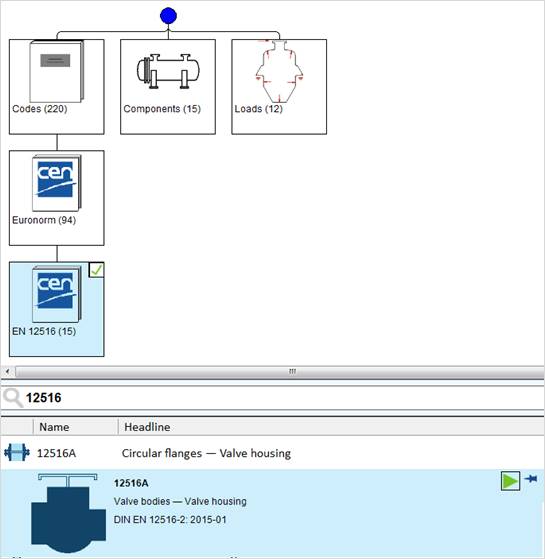
Start the module by double-click or simply
click the green start arrow. 
The PROJECT module is started automatically. The delivery standards are already entered, but you may adjust them individually for one project.
Specify the calculation code and the regulation for the material definition.
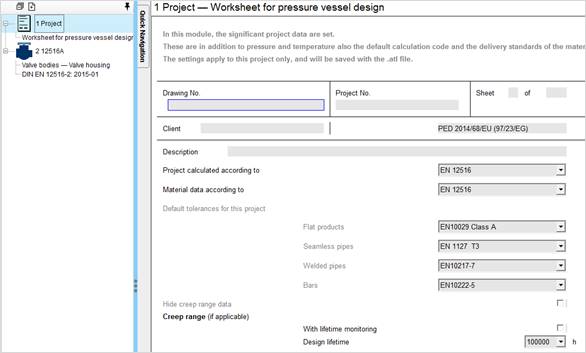
The settings are valid for the existing project and are saved with the ATL file.
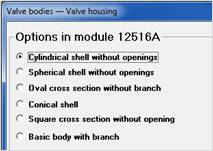
Select the following option in the 12516 A module:
Enter the design data and the material data in the input mask. Input values are displayed in regular font and the calculated values are bold and blue. As soon as you enter a value, the calculation is performed if possible.
Example:
When you enter
Outside diameter and final wall thickness
The inside diameter and the ratio d0/d1 can be calculated
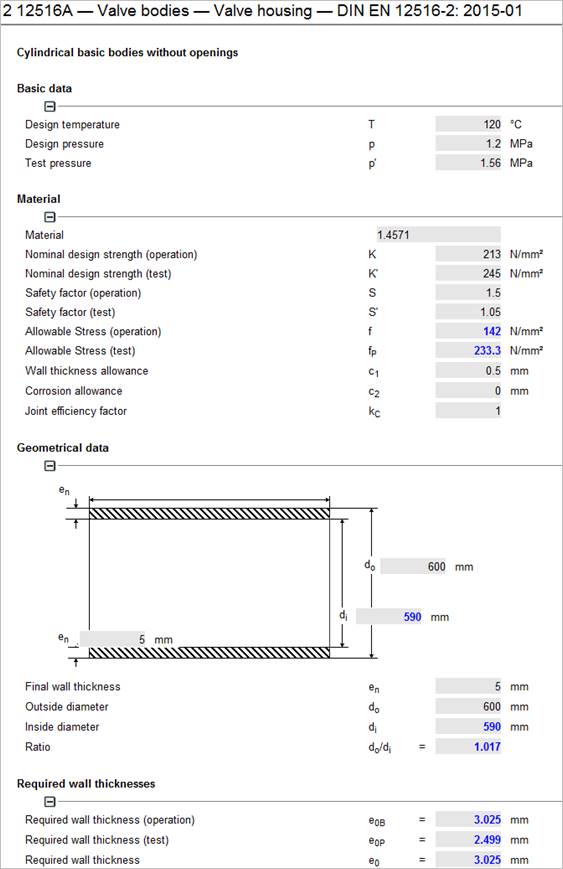
Select 1.4571 as material. Enter the material number in the input mask.

As there is more than one material with this number, you will receive a selection list.
Select by double-click:
Seamless pipe DIN 17485 AD-W2, LVID 478.
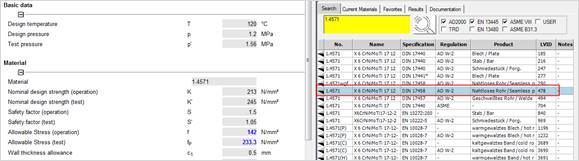
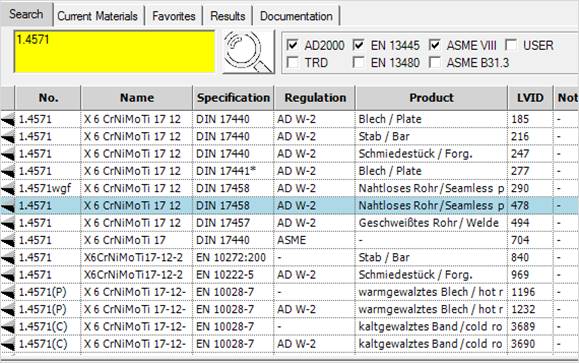
Find the strength characteristics in the lower part of the material server. Select the desired material by double-click. The strength characteristics are transferred to the input mask.
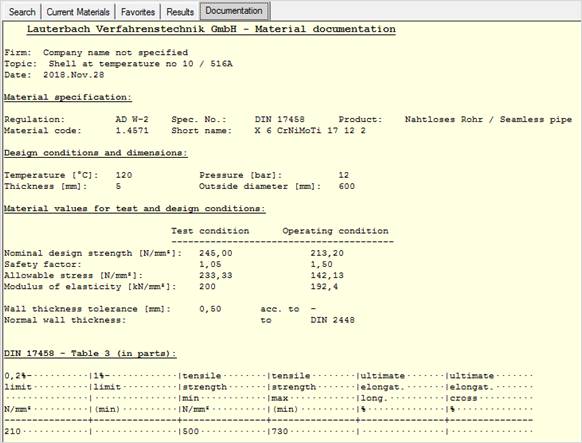
In the Documentation tab you find a detailed material documentation with characteristic values and comments from the according regulations.
Enter the rest of the required data. The missing values are calculated.
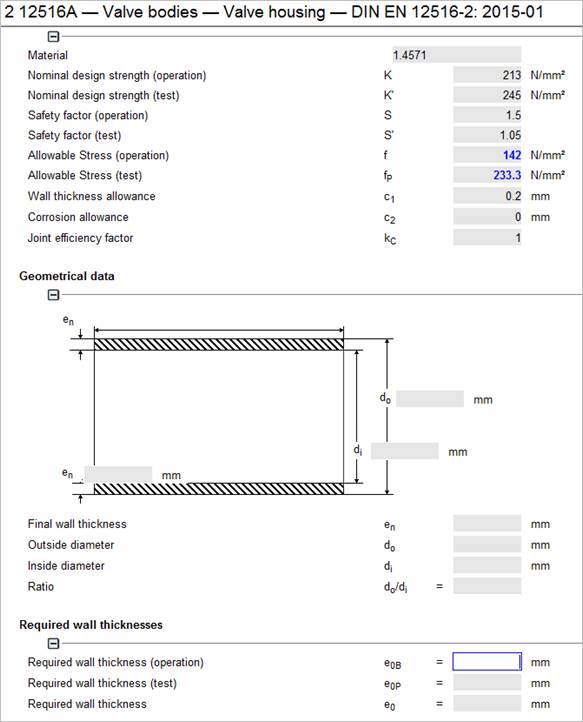
If a value is not calculated, yet, a required input value is missing. If you want to check why in this case the “required wall thickness (operation)”has not been calculated, yet, just highlight the according field.
With a right click on the field and ‘Analyse dependence” you will see all mathematical dependencies colored.
In this case entering the outside diameter and the final wall thickness is sufficient to get all values.
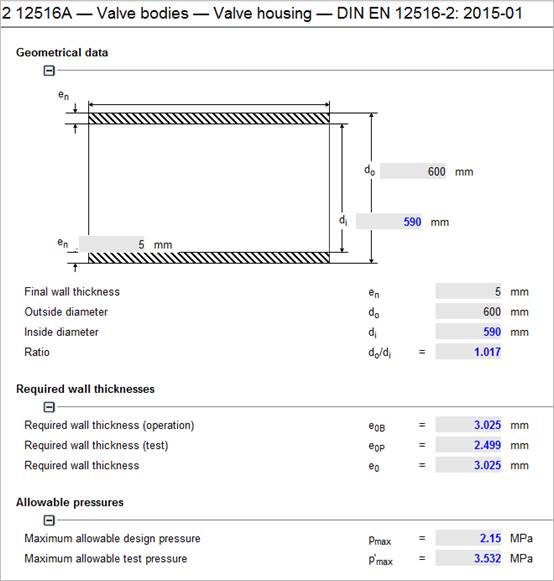
After input of data the missing values are calculated.
For example enter the required wall thickness (operation) as a fixed value of 4 mm. The program is able to calculate back to another value:
Select the outside diameter do, to calculate the possible outside diameter do fort he now given required wall thickness operation e0B.
Select ‘Clear value of variable’ or double click the outside diameter.
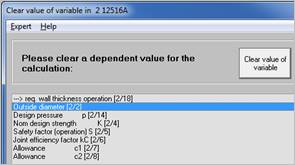
The original value of the outside diameter do is overwritten by the calculated value:
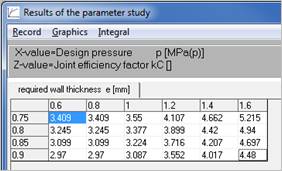
With the option "Parameter study" in the "Atlas" menu you can determine the effects of one resp. two values on a third value. In this example a 3-dimensional parameter study is done.
Select the varying values and value ranges as X values and Z values.
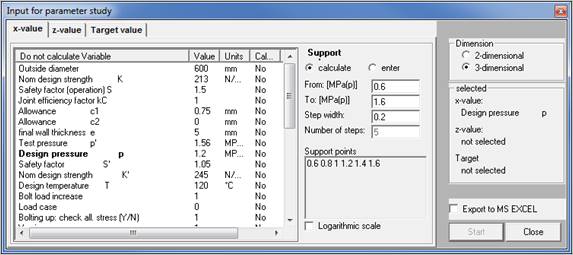
|
Confirm with start and you will receive an overview with the calculated values:
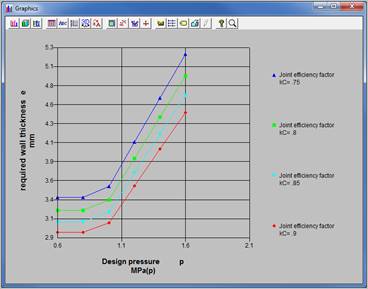
Find a graphical presentation of the parametric study under ‚Graphics‘.
|
|