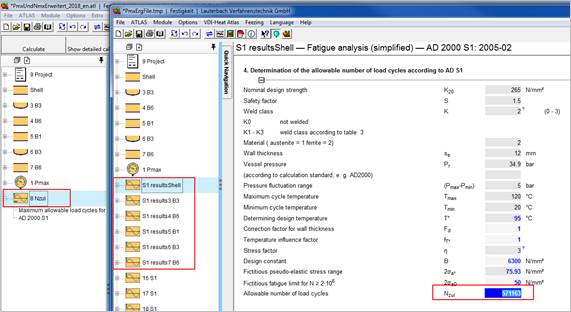
Working with PMAX
PMAX calculates
1. the maximum allowable pressure for pressure vessel parts. PMAX performs this calculation for every part in the project. It is not only a simple pressure calculation. All boundary conditions are checked for this pressure vessel part. Boundary conditions like calculation of the maximum allowable working pressure (MAWP), calculation of the test pressure and reference pressure for AD S 1 are integrated. Additionally you can set your own boundary conditions for e.g. calculation of water hammer and explosion waves.
2. the number of maximum allowable load cycles according to AD S1. The efficiency factors are suggested by the program and can be adjusted at any time.
For calculation of load cycles, a valid license of the AD 2000 S1 module is required.
You can add the PMAX module to any AD project.

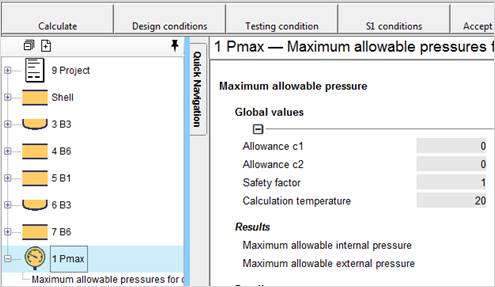
PMAX can perform the calculations with different boundary conditions. The allowances c1 and c2, the safety factor S or the calculation temperature can be defined for calculating the allowable design pressure. If you do not modify the entries in the according input fields, the calculation is performed with the boundary conditions of the AD project. The set boundary conditions are then globally valid for the complete project.
Settings are pre-defined for calculation of
1. Maximum allowable test pressure
2. Maximum allowable working pressure
3. Reference pressures for AD S1
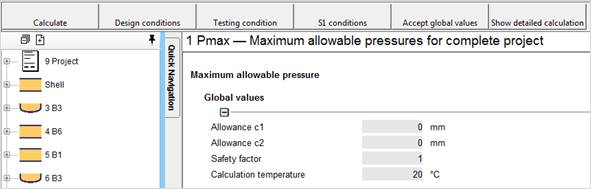
Here a calculation is performed with,
· no allowances for the pressure vessel part for corrosion or wall thickness tolerance (c1 = 0 mm and c2 = 0 mm),
· a calculation temperature of 20 °C
· and a safety factor of 1.
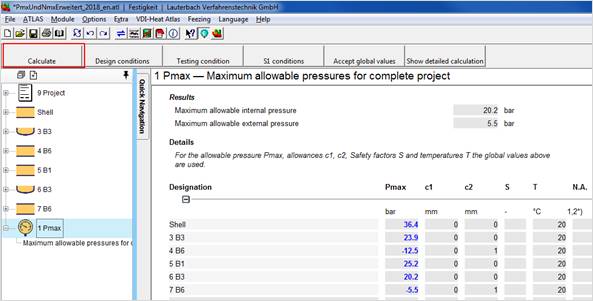
The global boundary conditions are transferred by pressing the button ‘Accept global values’. A calculation of the maximum allowable pressure is performed by pressing the button 'Calculate'.
The local boundary conditions can be set for every pressure vessel part individually. Enter the local conditions into the according field. No entries mean that the global conditions are valid.
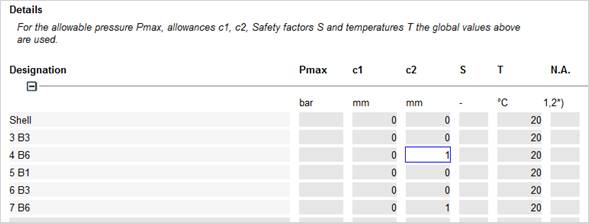
In the example above the corrosion allowance in AD B6 is set to 1 (c1=1).
Select 'Calculate' in the 'Extra' menu or click the button 'Calculate'.
The calculation may take several minutes. The progress is shown in the status bar or by watching the entries of the results in the mask.
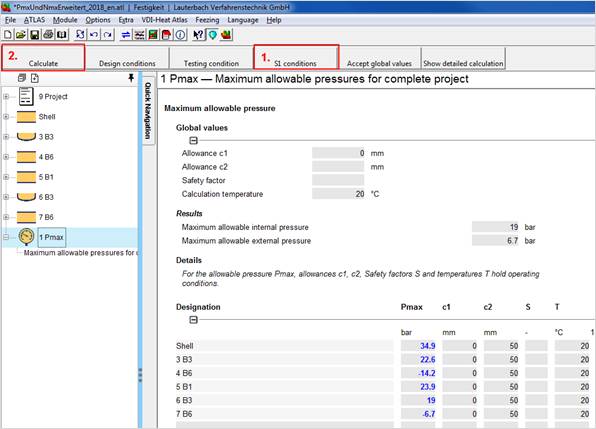
The NZUL calculation requires a PMAX calculation under S1 conditions first.
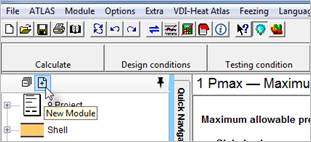
Then start the Nzul module by New Module in the Project Explorer
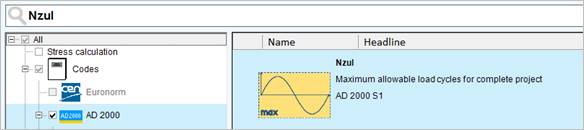
Connect the Pmax module with the Nzul module by drag&drop.
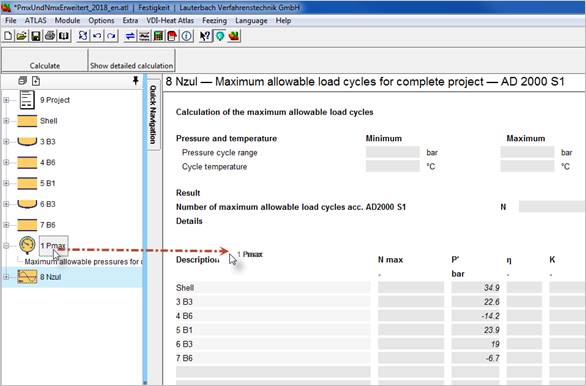
The maximum allowable pressures calculated by Pmax are now transferred to the Nzul module.
Define the load cycles by entering minimum and maximum pressure and minimum and maximum temperature. Select 'Calculate' in the 'Extra' menu or press the 'Calculate' button to start the calculation of the maximum allowable load cycles.
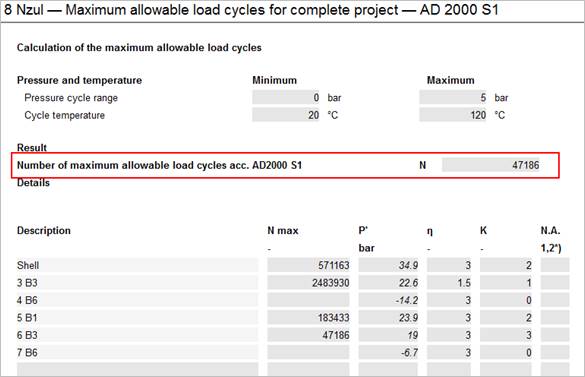
Please note:
Weld factors and stress factors are preset with the worst value according AD S1. If your welds belong to a better weld category, please adjust the weld class factor or the stress factor in the according field.
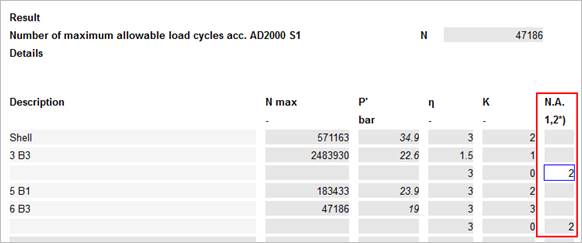
If you want to exclude a pressure vessel part from the calculation (Pmax and Nzul) enter 2 in the column N.A. This indicates non-applicable results. The part is not considered and hidden.
Calculations of single pressure vessel parts can be displayed. Press the button 'Show detailed calculation'.
The S1 module is activated with the according calculation of the single parts. By closing this program instance, you return to the NZUL calculation.