S-DAT
The free input of properties is done with the material data S-DAT module which is included in all basic packages.
Use the S-DAT module if you have neither purchased a specific material data module for the used material nor the PROP module. You must have all data at hand.
Otherwise you have to start your module package (for instance WTS) and select "Free input" as medium on the desired side in the corresponding selection menu. Then enter the temperature and pressure values for the side of the input mask (right side, left side or both sides) where you have selected "Free input". Click the "S-DAT" tab to open the input mask of the S-DAT module.
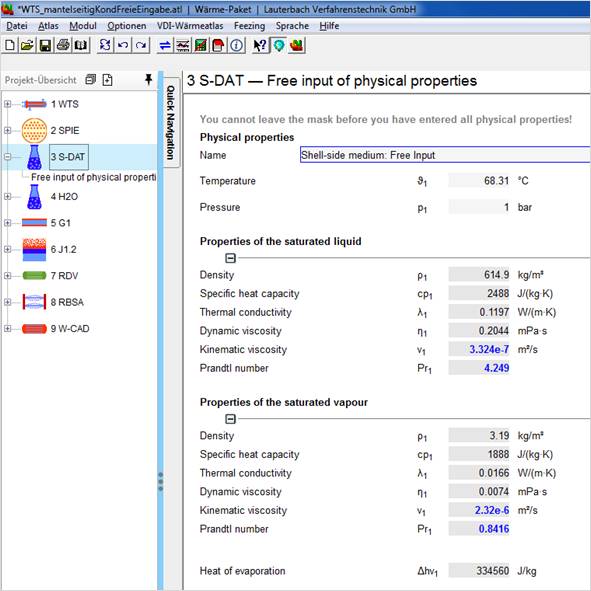 Input mask of S-DAT
The values for temperature and pressure have already been entered on the left side.
Enter the properties at the mean temperature of the bulk flow on the left side (state 1) and the properties at mean wall temperature on the right side (state 2). If the mean wall temperature is unknown yet, it might be entered at a latter state of the calculation. Please make sure to enter all properties correctly.
After having entered all properties switch to the chapter you work with (e.g. WTS, AC...) by clicking the according tab.
The properties collected in S-DAT are copied to the appearing input and output mask and are applied to the following calculations.