Operation
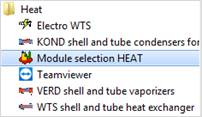
Start the Heat Module selection in the HEAT directory.
In the Quickstart Form select ‚SOWU’ and start it by double-click.
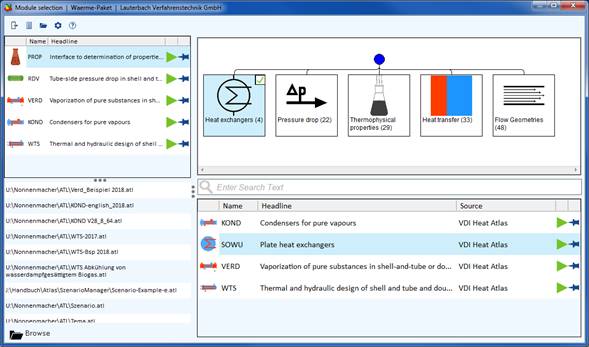
After starting the program, the mask "Selection of heat exchangers and media" appears.
In the selection boxes select inside and outside media. In the bottom section of the form enter temperatures, pressures and mass flows of both media. Click "OK" after that.
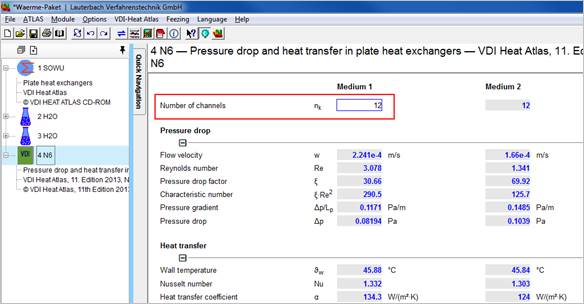
As soon as the input is completed in the mask "Selection of heat exchangers and media", the program switches to the N6 module and the mask "Pressure drop and heat transfer in plate heat exchanger" with the options of the module N6 appears:
If the inputs for temperatures, pressures and mass flows were not completed in the mask "Selection of heat exchangers and media", the program switches into the balancing mask of the SOWU module where the missing data have to be entered.
When you have entered the missing data, the program switches to the N6 module.
System data have been already transferred from the SOWU module.
Different fouling factors for both sides can be entered if required.
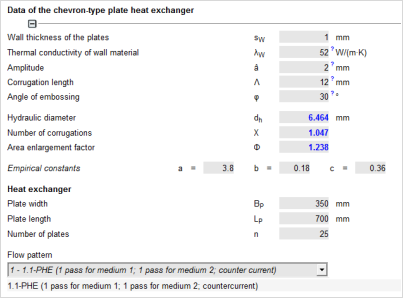
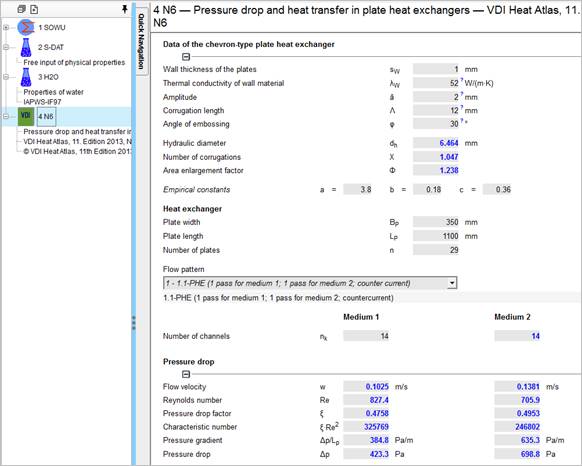
Enter the data of the plates in the middle part of the mask.
The empirical constants a, b and c depend on the type of plate. They are pre-defined by mean values
Enter the plate width, the plate length and the number of plates.
Enter the number of channels flown through by the medium.
After complete data input the program returns to the balancing mask of the SOWU module.
To switch to the interfaces of the various modules use the icons in the Project Explorer.
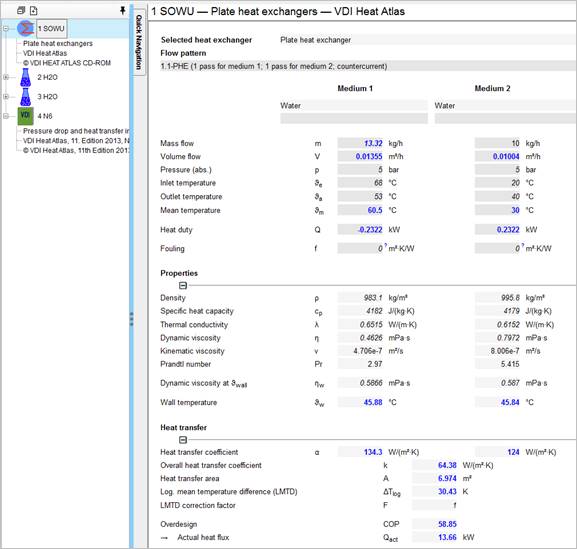
For designing a plate heat exchanger with any medium all required physical properties must be entered manually. Proceed as follows:
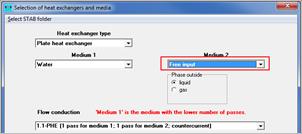
Select ‘plate heat exchanger‘ as type of heat exchanger in the mask ‚selection of heat exchangers and media‘.
Select ‘Free Input’ as media for ‚medium inside‘ or medium outside‘.
Confirm with ‚OK‘
The program now switches to the SOWU input mask.
Enter the pressure and the inlet and outlet temperature of the medium with the free input.
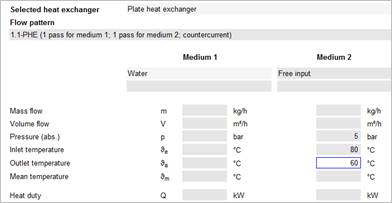
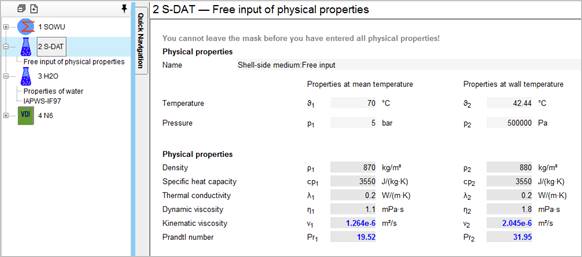
After having entered pressure and temperatures for the ‘Free Input’ side, the program switches to the ‘SDAT’ module where you can enter the physical properties
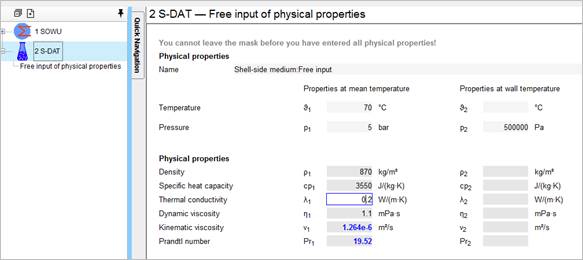
Enter here the properties of your medium (density, specific heat capacity, dynamic or kinematic viscosity and thermal conductivity.)
After input of all data the program switches to the SOWU module where you have to enter the missing data for your plate heat exchanger.
The physical properties of the medium were already transferred to the input mask.
Enter the remaining system data (mass flow or volume flow, pressure, temperature).
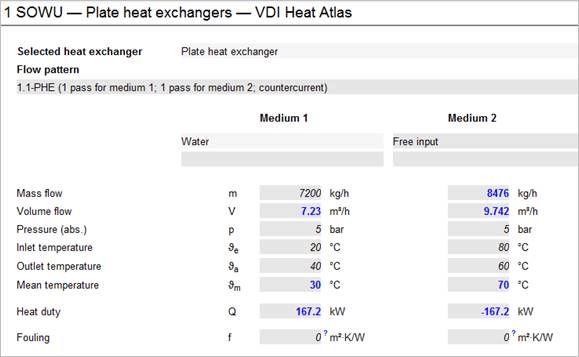
The program switches to the N6 module where you have to enter the geometrical data of the plate heat exchanger.
Now switch to the SDAT module and complete the physical properties at wall temperature, which is now calculated.
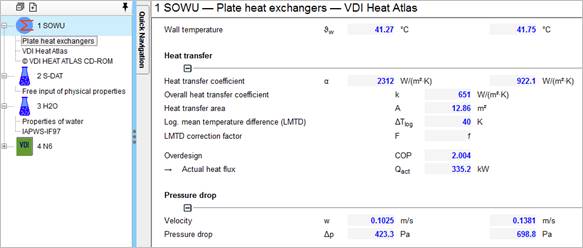
All relevant values, like overdesign, pressure drop, velocities, you will find in the SOWU module.
Correct the plate length, plate width or number of plates / channels in the N6 module if required.