Database
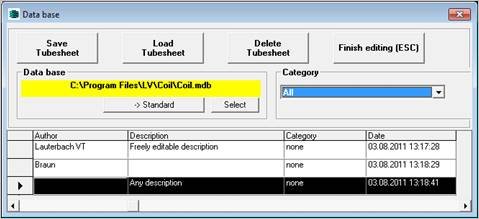
This button is only visible if the database has been called up by the COIL program.
All geometrical data of the exchanger entered in the input mask of coil are transferred to the data base.
The highlighted record is used in the current calculation of COIL. The data are transferred to the COIL program and all data in the input mask are overwritten.
The tube sheet data can be distributed over different databases. All operations refer to the currently active database, the name of which is entered in the field below "Data base". The standard data base is the one used when activating the form. This database is indicated by the yellow background colour in the data base field. This setting can be changed by pressing the button ‘->Standard’.
If the standard database does not exist during the calling up or if no one has been selected yet (in this case coil.mdb is used), automatically a new one with the corresponding name will be created.
With the help of this function, another database can be loaded. If no file extension has been given, ".MDB" is automatically added. If a database that has been entered does not exist, automatically a new one is created by copying the copy pattern file "COIL_LEER.MDB".